


Diamond Painting by Number
4.5670.00 Reviews
App Specs
- Version
- 6.8.0
- Updated On
- License
- Free
- Downloads
- 5,000,000+
- Developer
- Creative APPS
- Categories
- Art & Design
- Platform
- Android, iOS
Screenshots
 Analysis by AppCompare
I often reach for a low-pressure creative app when I want to do something on my phone that feels calmer than scrolling. Diamond Painting by Number suits that mood: it turns a picture into a sequence of small color-matching choices, so I can make visible progress without needing drawing skills or a table full of supplies. It works particularly well in a household where people want to take turns with a casual activity, though I’d treat it as a shared pastime rather than assume it has separate profiles or family controls.
A small creative break that fits around the day
A realistic use for this app is a short pause between other tasks. I might open a design while waiting for dinner, fill a few sections, then stop when I’m ready to move on. Because the picture is divided into numbered spaces, returning to the task feels more straightforward than picking up a freehand drawing after an interruption. That makes it a good fit for someone who likes steady, visible progress in manageable pieces.
It can also work as a quiet activity beside someone else: one person completes a few colors, then hands over the device. The turn-taking is simple, but it does mean the next person inherits the current picture and whatever choices the previous player made. If different people want entirely separate projects, agree on which design to work on before starting rather than expecting the app to keep each person’s work apart.
Set expectations before sharing a device
On a shared phone or tablet, I’d make one practical rule clear: this is one activity on one device, not necessarily a set of private workspaces. The app’s basic appeal is immediate access to its picture grid, so there is little ceremony to beginning a session. That convenience is useful for a quick handoff, but it also makes it sensible to decide whether everyone is comfortable continuing the same artwork.
For a household with different tastes, choosing the picture together can prevent a small disagreement later. A landscape may suit one person while another would rather work on an animal image; letting each person pick a design on separate turns is an easy compromise. If preserving individual progress is important, a shared-device arrangement may be less suitable than using separate devices, where available, and checking how the app behaves before relying on that setup.
Taking turns without turning it into a chore
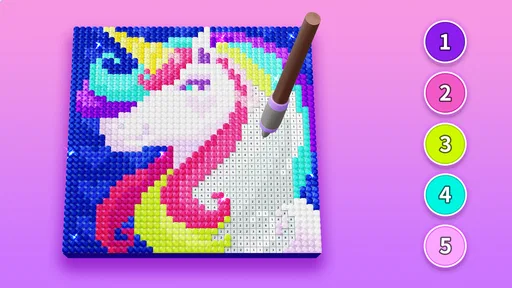
The numbered-color workflow makes coordination fairly natural. One person can select a color and fill its highlighted spaces, then pass the device along for another color. I find that a more comfortable shared rhythm than asking each person to invent a new part of a drawing, because the next step is already visible. It also gives younger or less experienced participants a clear way to join in without being expected to make artistic decisions from scratch.
There is a trade-off: the method rewards attention more than improvisation. If someone wants to add their own shapes, change the composition, or make a picture look deliberately different from the template, a free-drawing or coloring app will offer more room. Here, the satisfaction comes from completing the pattern, not from having full control over the image.
Worth Reading Before You Choose

EA SPORTS FC Mobile 26 Is a Bigger Football Game, but It Takes Time

Flipboard Shows What News Apps Must Do Beyond the Feed

Switching to Android Auto Means Rethinking Your Driving Routine

Google Calendar Makes a Crowded Week Easier to Manage

Ludo King Makes the Most of the Minutes Between Plans

Baby Panda World Brings Quick Play to Modern Phones, but Its Game Library Feels Busy
Age context and a sensible level of trust
The app is rated for Everyone, which makes its craft-like activity broadly approachable in age terms. I’d still use ordinary shared-device judgment: a family can decide who is allowed to install apps, make purchases, or use the device, rather than treating an age label as a substitute for household rules. The app is free to download, while optional in-app purchases range from $0.99 to $49.99 per item, so it is worth checking purchase settings before handing a device to a child.
For a younger user, the simple tap-and-match loop is easier to understand than a blank canvas, and an adult can help choose a design or explain how the color cues work. For a child who gets frustrated by repetitive tasks, though, the same structure may feel more like filling in a worksheet than making art. I’d try a brief session together before assuming it will hold their interest.
Getting Started with Diamond Painting by Number
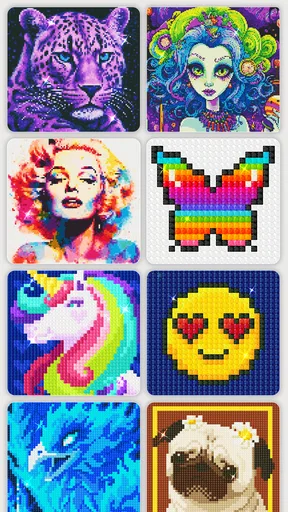
So, diving into Diamond Painting by Number is pretty straightforward. Once you download and launch the app, you're greeted with a gallery of designs. From vibrant landscapes to enchanting animal portraits, there’s a little something for everyone. The best part? You don’t need to be an artist to create something spectacular.
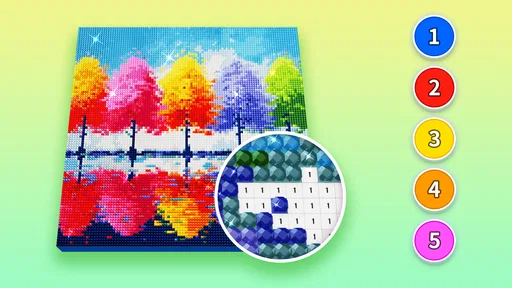
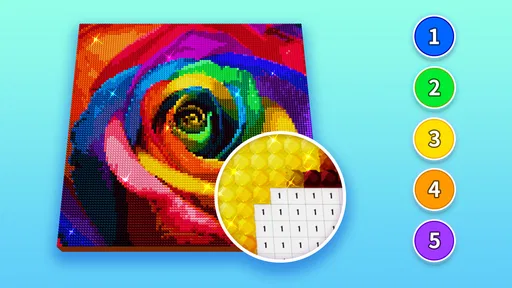
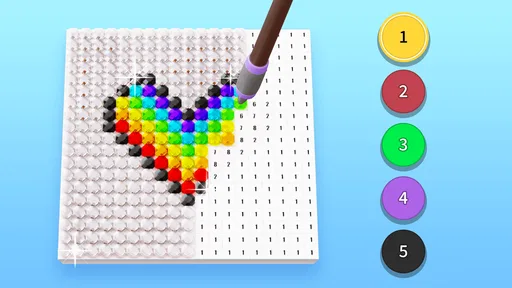
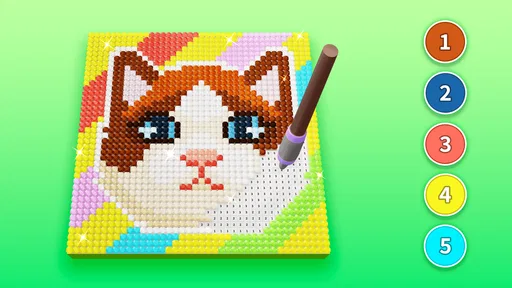
Each picture is broken down into a grid, and your job is to place colorful "diamonds" onto their corresponding numbers. It’s super intuitive. Just tap on a number, and the app highlights all the spots where that particular color needs to go. It’s like a digital puzzle that doesn’t leave a mess on your kitchen table.
Features That Shine
Now, let’s talk features. The app offers a wide variety of categories, so whether you’re feeling like crafting a serene landscape or a lively animal scene, there’s plenty to choose from. Plus, new designs are added regularly, which keeps things fresh. I mean, who doesn’t love new content?
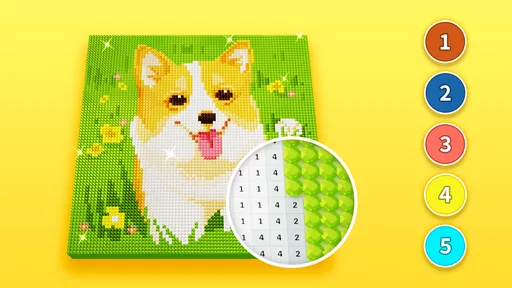
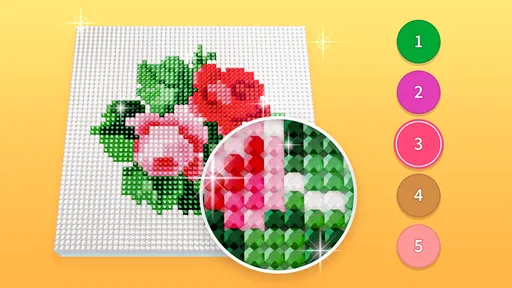
There’s also a nifty zoom function, which is a lifesaver for those intricate details. You can zoom in to ensure every diamond lands perfectly in its place. And if you make a mistake? No worries, just tap to undo. It's forgiving like that.
Making detailed pictures easier to finish
Zoom is most helpful when I stop treating the whole picture as one enormous job. I focus on a small area, enlarge it until the numbered spaces are comfortable to tap, and complete one color at a time. That reduces accidental taps on nearby cells and gives me a natural stopping point when I’m interrupted. For intricate designs, this is more practical than repeatedly zooming out to check every part of the image.
The color highlight is also a useful guide when the grid starts to feel busy. I would use it to locate the active color, place the matching diamonds, and then move on instead of trying to scan the entire picture by eye. Undo helps recover from a misplaced tap, but it is still better to work at a readable zoom than to rely on correcting mistakes after they happen.
The Relaxation Factor
One of the highlights of this app is how utterly relaxing it is. Seriously, there's something oddly satisfying about watching an image come to life, one diamond at a time. It’s like meditation but with a bit of bling.
The app also features calming background music. If you’re having one of those days, plugging in your headphones and getting lost in a design can be a great way to unwind. It’s like a mini vacation for your brain.
Choosing the right kind of creative app
Compared with a conventional coloring app, this one asks for less freehand judgment: the numbered grid tells me where each color belongs. That structure is its biggest advantage when I want a guided activity, but it is also why it may feel less expressive than drawing tools or open-ended art apps. Physical diamond painting offers tactile materials and a hands-on craft experience; this app replaces that setup with tapping on a screen, so it is convenient but cannot reproduce the feel of handling real supplies.
I’d choose it over a blank-canvas app for a relaxing, low-friction session, especially if I’m not in the mood to plan a composition. I’d choose a drawing app when I want to sketch freely, and a physical kit when the material process is the point. That distinction matters: the digital version is not a substitute for every kind of crafting, but it is easier to pick up and put down without preparing a workspace.
Who will enjoy it, and who may not
This is a strong match for casual crafters, puzzle fans, and people who enjoy repetitive tasks with a clear visual payoff. It can also suit a mixed-skill group because the numbered spaces provide direction without requiring one person to teach drawing techniques. Creative APPS publishes it in the art and design category, and its audience has given it a 4.6 average from around 16,000 ratings; that broad reception is encouraging, but personal patience for a methodical activity matters more than popularity.
I’d steer away if you need sophisticated editing, original illustration tools, or a fast-moving game with changing challenges. The core loop is deliberately steady, and anyone who dislikes repeating small taps may tire of it. It is also not the best household choice if everyone expects private projects on a single device; agree on shared use or pick another option that better fits that boundary.
Why You’ll Love It
What I really enjoyed about Diamond Painting by Number is how accessible it is. Whether you’re a crafting newbie or a seasoned pro, you can jump right in and start creating. Plus, it’s a great way to pass the time without feeling like you’re just scrolling mindlessly on your phone.
And hey, if you’re someone who loves sharing their creations, the app has got you covered. You can easily save and share your artwork with friends and family. Show off your masterpiece!
Practical details before you settle in
The app is free, with optional purchases priced from $0.99 to $49.99 per item. I’d browse the available designs first and let the basic activity prove that it suits you before considering any purchase. On a shared device, that is especially sensible: an adult can review purchase settings and decide what is appropriate, while keeping the choice separate from the simple act of opening a picture and placing colors.
Diamond Painting by Number is at version 6.8.0 and needs Android 5.1 or later. It has passed five million installs, and its 619 written reviews offer another sign that people have spent time with it, though neither figure tells me whether a particular household will enjoy the pace. The practical question is whether a guided, screen-based craft is what you want; if so, the low barrier to starting is a real strength.
Final Thoughts
All in all, Diamond Painting by Number is a delightful app that offers a unique blend of creativity and relaxation. It’s perfect for those moments when you need a break from the hustle and bustle but still want to engage your brain.
Whether you’re looking to unwind after a long day or just want to unleash your inner artist without the hassle of paints and brushes, this app is definitely worth checking out. So go ahead, give it a try, and get ready to sparkle!
My household verdict is positive when everyone is happy to share a design and take turns, with an adult keeping an eye on purchases where needed. The app has been available since May 18, 2022, and its Everyone rating makes it easy to consider for a broad range of ages, but I’d still match it to each person’s patience and interests. If your group wants a calm, guided activity rather than individual art projects, I think it is an easy one to try; if you want private progress, tactile crafting, or freer creativity, a different option will fit better.
Pros
- User-friendly interface for beginners.
- Wide variety of designs available.
- Offline mode for uninterrupted play.
- Relaxing and therapeutic gameplay.
- Regular updates with new content.
Cons
- Contains in-app purchases.
- Ads can be intrusive at times.
- Limited free design options.
- No multiplayer features.
- Requires significant storage space.
FAQs for Diamond Painting by Number
What is Diamond Painting by Number and how does it work?
Diamond Painting by Number is a digital app that simulates the relaxing and creative experience of diamond painting. Users select patterns and apply virtual 'gems' to complete beautiful artworks. The app guides users with numbered patterns, making it easy for both beginners and experienced artists to create stunning pieces.
Is Diamond Painting by Number available for both Android and iOS devices?
Yes, Diamond Painting by Number is available for download on both Android and iOS platforms. Users can find the app on the Google Play Store for Android devices and the App Store for iOS devices, ensuring accessibility to a wide range of users.
Does Diamond Painting by Number offer any in-app purchases or subscriptions?
The app offers a variety of in-app purchases, including additional gem packs and new pattern collections. While the basic app is free, users can enhance their experience by purchasing these extras. Subscription options may also be available for those who wish to access premium content regularly.
Can I create my own patterns in Diamond Painting by Number?
Currently, the app focuses on providing a curated selection of patterns for users. While custom pattern creation is not a standard feature, regular updates may include new patterns based on user feedback and popular demand. Check the app’s updates and forums for any announcements regarding this feature.
How does Diamond Painting by Number support user creativity and relaxation?
The app is designed to offer a calming and engaging experience, encouraging creativity through virtual painting. The structured, step-by-step process allows users to focus and unwind, making it a perfect tool for stress relief. The vibrant colors and intricate designs further enhance the creative satisfaction.


